Свойство CSS text-justify
Свойство text-justify определяет поведение интервала между словами или символами.
Свойство text-justify является одним из свойств CSS3.
Свойство text-justify выбирает метод выравнивания текста, когда для text-align установлено значение "justify".
| Начальное значение | auto |
|---|---|
| Применяется к | Элементы блочного уровня. |
| Наследуется | Нет. |
| Анимация | Нет. |
| Версия | CSS3 |
| Синтаксис DOM | object.style.textJustify = "inter-character"; |
Синтаксис
Значения CSS text-justify
css
text-justify: auto | inter-word | inter-character | none | initial | inherit;Пример свойства text-justify:
Пример кода CSS text-justify
html
<!DOCTYPE html>
<html>
  <head>
    <title>Title of the document</title>
    <style>
      div {
        text-align: justify;
        text-justify: inter-word;
      }
    </style>
  </head>
  <body>
    <h2>Text-justify property example</h2>
    <div>
      Lorem Ipsum is simply dummy text of the printing and typesetting industry. Lorem Ipsum has been the industry's standard dummy text ever since the 1500s when an unknown printer took a galley of type and scrambled it to make a type specimen book. It has survived not only five centuries, but also the leap into electronic typesetting, remaining essentially unchanged. It was popularised in the 1960s with the release of Letraset sheets containing Lorem Ipsum passages, and more recently with desktop publishing software like Aldus PageMaker including versions of Lorem Ipsum.
    </div>
  </body>
</html>Результат
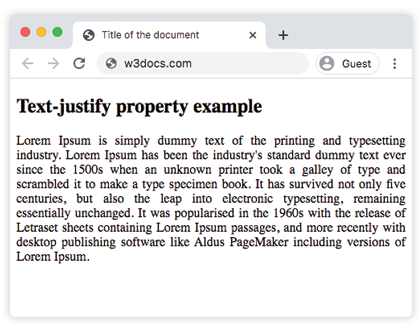
В следующем примере измените размер окна браузера, чтобы увидеть, как работает "justify":
Пример свойства text-justify со значением "inter-character":
Пример использования значения inter-character в CSS text-justify
html
<!DOCTYPE html>
<html>
  <head>
    <title>Title of the document</title>
    <style>
      div {
        text-align: justify;
        text-justify: inter-character;
      }
    </style>
  </head>
  <body>
    <h2>Text-justify property example</h2>
    <div>
      Lorem Ipsum is simply dummy text of the printing and typesetting industry. Lorem Ipsum has been the industry's standard dummy text ever since the 1500s when an unknown printer took a galley of type and scrambled it to make a type specimen book. It has survived not only five centuries, but also the leap into electronic typesetting, remaining essentially unchanged. It was popularised in the 1960s with the release of Letraset sheets containing Lorem Ipsum passages, and more recently with desktop publishing software like Aldus PageMaker including versions of Lorem Ipsum.
    </div>
  </body>
</html>Примечание: Поддержка
text-justifyв браузерах ограничена. Значениеinter-characterне поддерживается в большинстве современных браузеров.
Значения
| Значение | Описание | Запустить |
|---|---|---|
auto | Алгоритм выравнивания определяется автоматически. Браузер сам решает, что лучше использовать: интервал между словами или между символами. Это значение по умолчанию для данного свойства. | Запустить » |
inter-word | Браузер увеличивает интервал между словами. Это типично для языков с четкими границами слов. | Запустить » |
inter-character | Браузер увеличивает интервал между символами при выравнивании. | Запустить » |
none | Выравнивание по ширине отключено. | Запустить » |
initial | Устанавливает для свойства значение по умолчанию. | Запустить » |
inherit | Наследует значение свойства от родительского элемента. |
Практика
Какие существуют значения свойства 'text-justify' в CSS и что они означают?