HTML-тег <section>
HTML-тег <section> является одним из элементов HTML5. Он используется для создания самостоятельных разделов на веб-странице, содержащих логически связанные материалы (новостной блок, контактная информация и т. д.). Тег <section> часто применяется при создании лендингов для разделения страницы на отдельные логические блоки.
Например, навигационное меню должно быть обернуто в тег <nav>, но отображение карты и список результатов поиска не имеют специфических элементов и могут быть помещены внутрь <section>.
Тег <section> может быть вложен в тег <article>, разделяя контент на группы. HTML5 рекомендует добавлять заголовок (<h1>–<h6>) для каждого раздела, чтобы определить его тему. Хотя можно использовать любой уровень заголовка, лучшей практикой является соблюдение логической иерархии в соответствии со структурой вложенности.
DANGER
Не используйте тег <section> в качестве универсального контейнера для создания структуры страницы; для этих целей следует использовать тег <div>.
Синтаксис
Тег <section> является парным. Контент размещается между открывающим (<section>) и закрывающим (</section>) тегами.
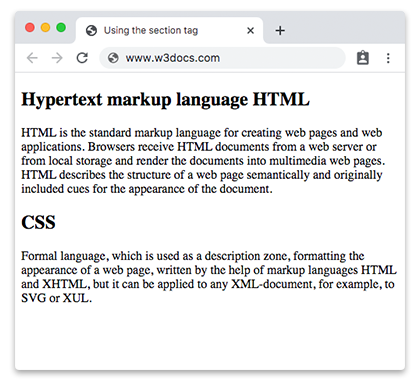
Пример использования HTML-тега <section>:
Пример использования HTML-тега <section>
<!DOCTYPE html>
<html>
  <head>
    <title>Using the section tag</title>
  </head>
  <body>
    <section>
      <h2>Hypertext markup language HTML</h2>
      <p>HTML is the standard markup language for creating web pages and web applications. Browsers receive HTML documents from a web server or from local storage and render the documents into multimedia web pages. HTML describes the structure of a web page semantically and originally included cues for the appearance of the document.</p>
    </section>
    <section>
      <h2>CSS</h2>
      <p>Formal language, which is used as a description zone, formatting the appearance of a web page, written by the help of markup languages HTML and XHTML, but it can be applied to any XML-document, for example, to SVG or XUL.</p>
    </section>
  </body>
</html>Результат
Пример использования HTML-тега <section> внутри другого тега <section>:
Пример использования HTML-тега <section> внутри другого тега <section>
<!DOCTYPE html>
<html>
  <head>
    <title>Title of the document</title>
  </head>
  <body>
    <h1>Example of the section tag</h1>
    <section>
      <h2>Hypertext markup language HTML</h2>
      <p>
        HTML is the standard markup language for creating web pages and web applications. Browsers receive HTML documents from a web server or from local storage and render the documents into multimedia web pages. HTML describes the structure of a web page semantically and originally included cues for the appearance of the document.
      </p>
      <section>
        <h3>Hypertext markup language HTML</h3>
        <p>HTML is the standard markup language for creating web pages and web applications. Browsers receive HTML documents from a web server or from local storage and render the documents into multimedia web pages. HTML describes the structure of a web page semantically and originally included cues for the appearance of the document.</p>
      </section>
    </section>
    <section>
      <h2>CSS</h2>
      <p>Formal language, which is used as a description zone, formatting the appearance of a web page, written by the help of markup languages HTML and XHTML, but it can be applied to any XML-document, for example, to SVG or XUL.</p>
    </section>
  </body>
</html>Атрибуты
Тег <section> поддерживает Глобальные атрибуты и Атрибуты событий.
Как стилизовать HTML-тег <section>
section {
  background-color: #f9f9f9;
  padding: 20px;
  border: 1px solid #ddd;
}
Практика
Какова цель тега Section в HTML?